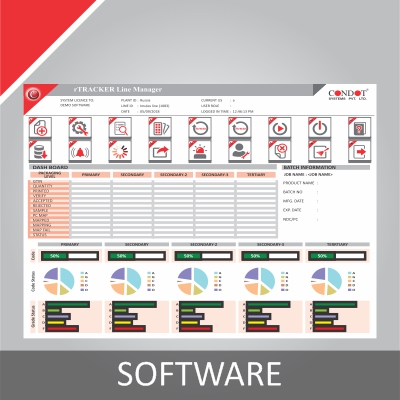
Software
Shoppable Digital Catalog Maker
Kozhikode, KL
Storefront →Price on request
MOQ — Lead time on requestCurrency INR
Trade & shipping
Pricing termsFree
BharatSeal order protection
Secure payments
Every payment is processed via Razorpay with PCI-DSS data protection and SSL encryption. We never see your card details.
PayUPIVisaMCAmexRuPayNet BankingWalletsPay Later+ more
Money-back protection
Claim a refund if your order doesn't ship, arrives damaged, or doesn't match the agreed spec. Disputes resolved within 7 working days.
Trade Assurance — not yet enrolled by this seller
This seller has not yet activated Trade Assurance. Pay outside BharatSeal at your own risk — we recommend chatting first to verify.
Only orders placed and paid through BharatSeal can enjoy free protection by 🛡 BharatSeal Trade Assurance.
Highlights at a glance
- ✓Category: Software
- ✓Made in Kozhikode, KL, India
About this item
- Print catalogs always cost too much.
- Display your catalog content by ebook.
- Create shoppable digital catalog based on HTML5.
- Easy to use, without need to coding.
- Digital catalog can be read on all devices easily.
Description
Easy to use software for you to create interactive, shoppable content catalog from PDF file.
Quick Tour of PubHTML5
Why PubHTML5? Print catalogs always cost too much. The production of a book often involve more than multiple processes, including catalog design, print and check up on. You can imagine that how expensive it is if add up all the expenses. And it also needs communication costs. As the technology developing, now more people choose to display their catalog content by ebook. But you know that most of ebook format have their limitation. For example, PDF format catalog reply on PDF Readers. And we cannot view PDF in all devices, especially for those lower configuration devices. Maybe your company would like to make digital ebook by yourself, rather than rely on designers. However, most of the people have no idea about programming. PUB HTML5 software is designed for helping people who want to create shoppable digital catalog based on HTML5. It is easy to use, without need to coding. Once published, digital catalog can be read on all devices easily.
Want to create a digital catalog by your own? Follow below steps
- Login and Import Launch PUB HTML5 program to click import file, browse and open your PDF file to import, and then enter into template setting interface, in here you should login with your account before designing;
- Template and Theme There are many templates on the left side of digital catalog. You can apply one of them to change the layout of digital catalog. Or if you want to create your own theme, just open custom setting panel to change the background and toolbar color of digital catalog;
- Upload Online Click upload online button to write your book title and description, and then click "Publish"; A few minutes later, you can get the book URL which can be opened to read the digital catalog content.
Key attributes
Trade & shipping terms
Set by TOWNBOOK PRINTING AND PUBLISHING PRIVATE LIMITED — the supplier's own terms.
Reviews
Questions & answers
Ask the supplier — answers are visible to all buyers
No questions yet. Be the first to ask!
Know your supplier
TOWNBOOK PRINTING AND PUBLISHING PRIVATE LIMITED
Unverified<1 yr on BharatSealKozhikode, Kerala
Orders completed
—
On-time delivery
—
Reorder rate
—
Year founded
2009
Staff size
—
Certifications
—
%22%2F%3E%3Ctext%20x%3D%2250%25%22%20y%3D%2250%25%22%20dominant-baseline%3D%22central%22%20text-anchor%3D%22middle%22%20font-family%3D%22'DM%20Sans'%2Csystem-ui%2Csans-serif%22%20font-weight%3D%22800%22%20font-size%3D%22126%22%20fill%3D%22%231a1a1a%22%20fill-opacity%3D%220.14%22%20letter-spacing%3D%22-2%22%3EDP%3C%2Ftext%3E%3C%2Fsvg%3E)
%22%2F%3E%3Ctext%20x%3D%2250%25%22%20y%3D%2250%25%22%20dominant-baseline%3D%22central%22%20text-anchor%3D%22middle%22%20font-family%3D%22'DM%20Sans'%2Csystem-ui%2Csans-serif%22%20font-weight%3D%22800%22%20font-size%3D%22126%22%20fill%3D%22%231a1a1a%22%20fill-opacity%3D%220.14%22%20letter-spacing%3D%22-2%22%3ESS%3C%2Ftext%3E%3C%2Fsvg%3E)
%22%2F%3E%3Ctext%20x%3D%2250%25%22%20y%3D%2250%25%22%20dominant-baseline%3D%22central%22%20text-anchor%3D%22middle%22%20font-family%3D%22'DM%20Sans'%2Csystem-ui%2Csans-serif%22%20font-weight%3D%22800%22%20font-size%3D%22126%22%20fill%3D%22%231a1a1a%22%20fill-opacity%3D%220.14%22%20letter-spacing%3D%22-2%22%3EFA%3C%2Ftext%3E%3C%2Fsvg%3E)
%22%2F%3E%3Ctext%20x%3D%2250%25%22%20y%3D%2250%25%22%20dominant-baseline%3D%22central%22%20text-anchor%3D%22middle%22%20font-family%3D%22'DM%20Sans'%2Csystem-ui%2Csans-serif%22%20font-weight%3D%22800%22%20font-size%3D%22126%22%20fill%3D%22%231a1a1a%22%20fill-opacity%3D%220.14%22%20letter-spacing%3D%22-2%22%3ESS%3C%2Ftext%3E%3C%2Fsvg%3E)
%22%2F%3E%3Ctext%20x%3D%2250%25%22%20y%3D%2250%25%22%20dominant-baseline%3D%22central%22%20text-anchor%3D%22middle%22%20font-family%3D%22'DM%20Sans'%2Csystem-ui%2Csans-serif%22%20font-weight%3D%22800%22%20font-size%3D%22126%22%20fill%3D%22%231a1a1a%22%20fill-opacity%3D%220.14%22%20letter-spacing%3D%22-2%22%3ESS%3C%2Ftext%3E%3C%2Fsvg%3E)
%22%2F%3E%3Ctext%20x%3D%2250%25%22%20y%3D%2250%25%22%20dominant-baseline%3D%22central%22%20text-anchor%3D%22middle%22%20font-family%3D%22'DM%20Sans'%2Csystem-ui%2Csans-serif%22%20font-weight%3D%22800%22%20font-size%3D%22126%22%20fill%3D%22%231a1a1a%22%20fill-opacity%3D%220.14%22%20letter-spacing%3D%22-2%22%3ESS%3C%2Ftext%3E%3C%2Fsvg%3E)
%22%2F%3E%3Ctext%20x%3D%2250%25%22%20y%3D%2250%25%22%20dominant-baseline%3D%22central%22%20text-anchor%3D%22middle%22%20font-family%3D%22'DM%20Sans'%2Csystem-ui%2Csans-serif%22%20font-weight%3D%22800%22%20font-size%3D%22126%22%20fill%3D%22%231a1a1a%22%20fill-opacity%3D%220.14%22%20letter-spacing%3D%22-2%22%3ESO%3C%2Ftext%3E%3C%2Fsvg%3E)